|
|
Quick Tour of Controlling Applications |

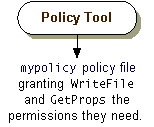
You will now use the Policy Tool to open the policy file namedmypolicycreated in the Quick Tour of Controlling Appletslesson. You will add a new policy entry that grants code from the directory where
GetProps.classis stored permission to read the"user.home"and"java.home"property values.The steps are the following:
Note for Solaris users: The instructions illustrate creating the policy file for a Windows system. The steps are exactly the same if you are working on a Solaris system, but
- Where the text says to retrieve the
mypolicyfile from theC:\Testdirectory, you instead retrieve it from thetestdirectory in your home directory.
- In the "Grant the Required Permissions" step, you can substitute
file:${user.home}/test/forfile:/C:/Test/. Alternatively, you could directly specify your home directory, rather than referring to the"user.home"property, as infile:/home/susanj/test/.
|
|
Quick Tour of Controlling Applications |